RoboSuite: The Manipulation Workbench Behind Many Robot Benchmarks
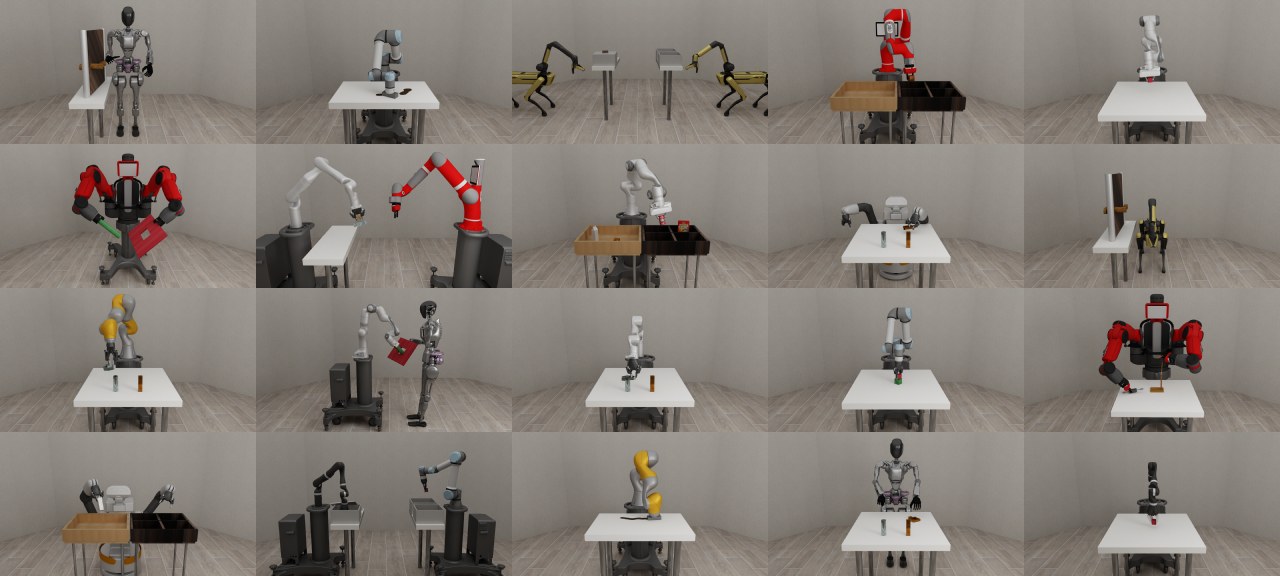
RoboSuite is a MuJoCo-based simulation framework for robot manipulation research. The paper is important because it frames RoboSuite as a modular workbench: robots, controllers, tasks, sensors, and wrappers can be swapped without rewriting the entire experiment.
Why RoboSuite Matters
RoboSuite is useful because it makes manipulation experiments inspectable. You can control the robot embodiment, controller, observation dictionary, camera setup, reward shaping, rendering mode, and task success logic.
That makes it a good place to answer engineering questions before moving to heavier benchmarks:
- does the controller fail before the policy does?
- is the image observation aligned with the policy input?
- does the success condition match the intended task?
- can a custom task be validated before becoming a formal benchmark?
What the Paper Contributes
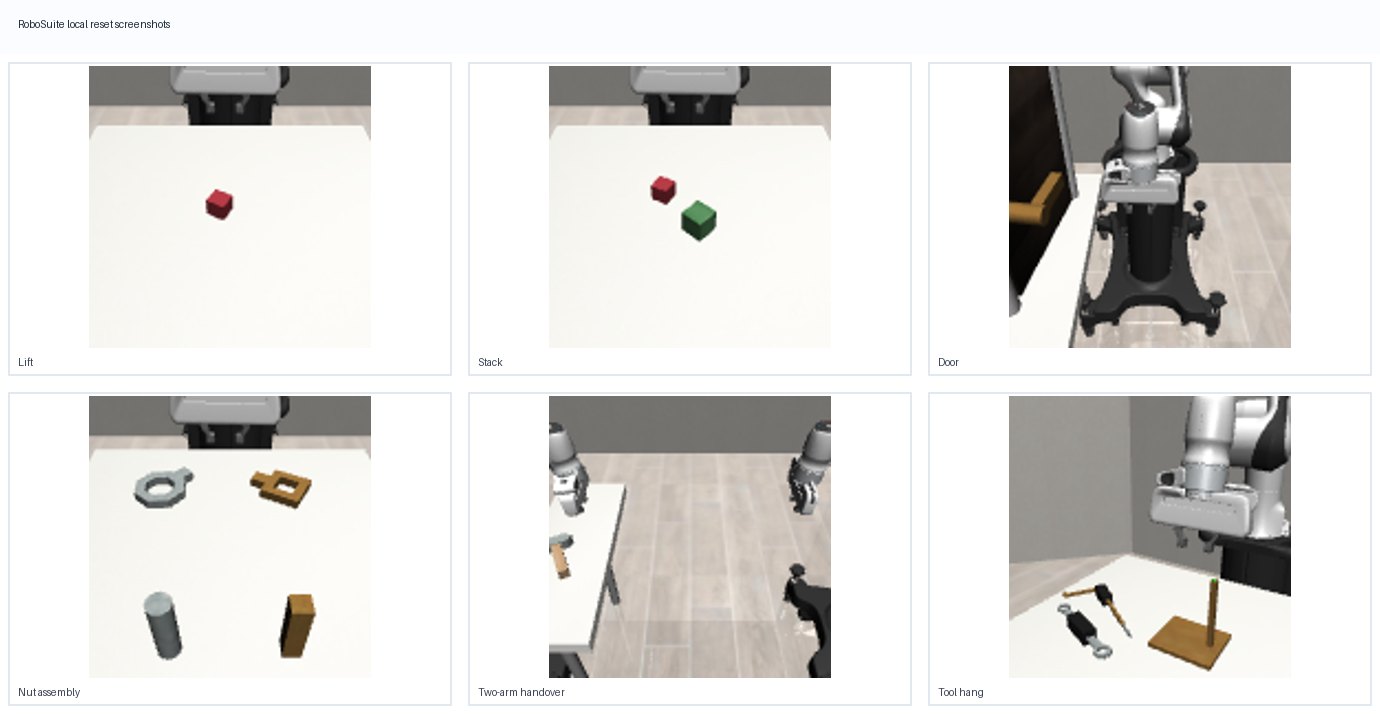
The paper presents a unified API for robotic simulation and benchmarking, with a focus on standardized manipulation environments and reproducible experimentation. The task gallery includes canonical tabletop problems such as lifting, stacking, assembly-style tasks, and manipulation under different robot/controller choices.
The important contribution is not one single task. It is the ability to build controlled experiments where the task, robot, controller, observation mode, and reward can be stated precisely.
How to Use It
import robosuite as suite

env = suite.make(
    env_name="Lift",
    robots="Panda",
    has_renderer=False,
    has_offscreen_renderer=True,
    use_camera_obs=True,
)
obs = env.reset()
obs, reward, done, info = env.step(env.action_space.sample())
env.close()
For serious experiments, log the robot, controller, observation keys, camera names, image size, horizon, success metric, and random seed. Without those details, RoboSuite results are hard to reproduce.
Practical Usage Notes
RoboSuite is a workbench, so the experiment definition is the benchmark. The same task name can behave differently under another controller, robot arm, observation dictionary, camera, horizon, or reward setting.
The guide checklist I would keep next to every RoboSuite run:
- record robot embodiment, controller config, observation keys, image size, camera names, horizon, and seed;
- test reset, step, render, and success detection before launching training;
- keep policy-resolution images separate from high-resolution debug videos;
- verify whether the failure is controller-level before attributing it to policy learning;
- use simple tasks such as Lift or Stack as pipeline checks before moving to larger suites.
For headless machines, rendering backend issues can dominate the first debugging session. Treat a clean offscreen render and a saved rollout video as part of the benchmark setup, not an optional convenience.
When To Use It
Use RoboSuite for controlled manipulation mechanics, custom observables, controller debugging, domain randomization, and early-stage task design. If a method cannot work on a simple lift or stack environment, it is usually too early to move to a large kitchen or real-robot benchmark.
Limits
RoboSuite is not a realistic household task library by itself. It does not replace RoboCasa for kitchen workflows, LIBERO for language-conditioned suites, or DROID for real-robot data.
Paper Source
This note was revised from the paper and its LaTeX source package: RoboSuite: A Modular Simulation Framework and Benchmark for Robot Learning.